
LEARNDASH LOGIN
LearnDash Social Login & Passwordless Login
Give students easier access to courses with Social Login, Magic Link and Email OTP.
VentraConnect helps LearnDash-powered WordPress sites reduce login friction with familiar social login, secure Magic Link login and email one-time codes in one plugin. Use the free plugin for standard WordPress login and shortcode-button flows, or choose VentraConnect Pro for LearnDash/LMS-focused placement, inline passwordless forms and custom student layouts.
Social Login · Magic Link · Email OTP · Student login · Pro LMS flows · Inline forms
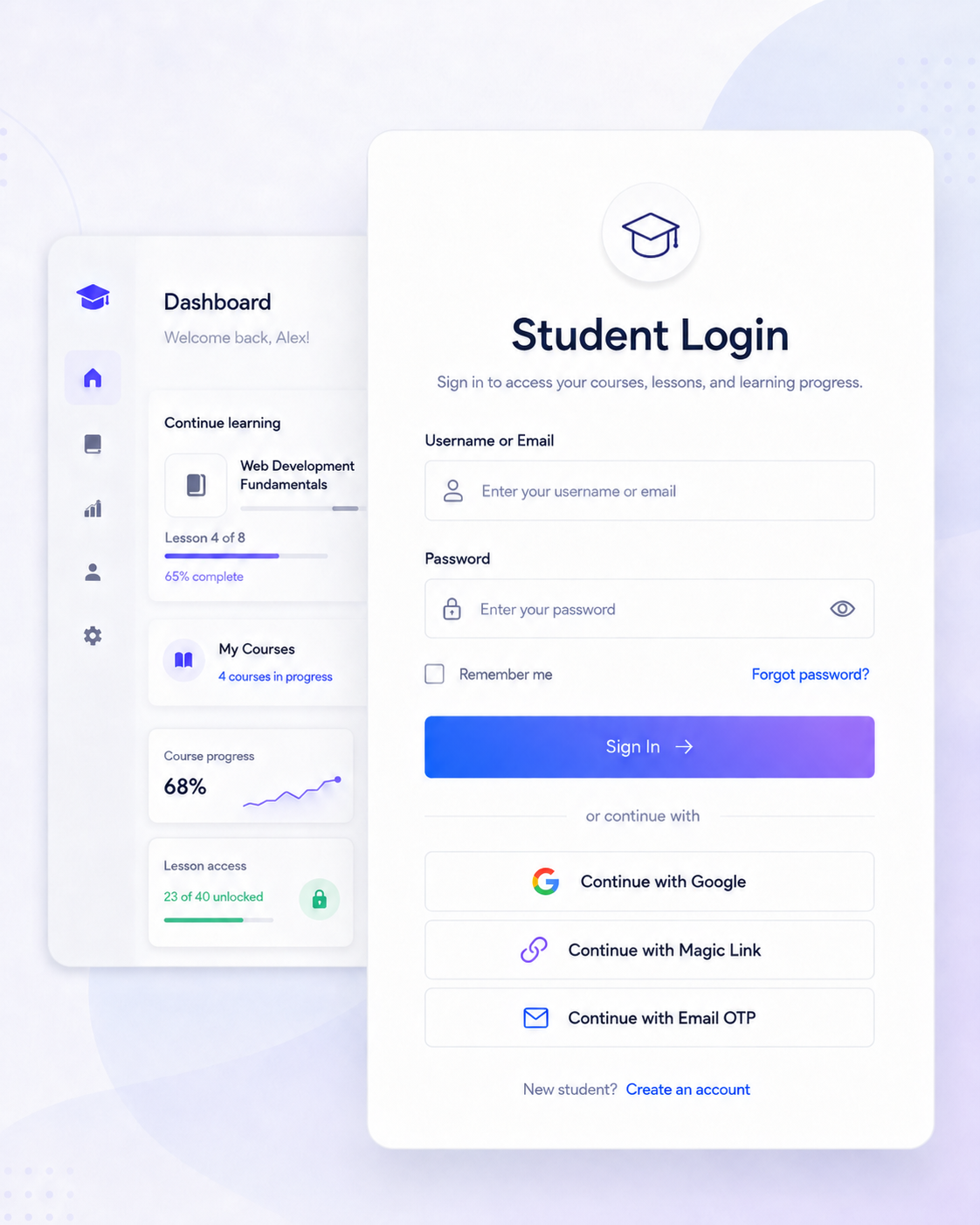
The problem
Course login friction slows students down
LearnDash sites depend on returning students. They come back to continue lessons, access course dashboards, view protected content, complete assignments, and track progress.
When login depends only on passwords, students can get stuck in reset loops before they reach the course content they came for.
Forgotten passwords
Students forget passwords and get pushed into reset flows instead of continuing their lessons.
Interrupted learning
A login issue can block access to courses, lesson content, certificates, assignments, and student dashboards.
Extra support requests
Password reset problems create more support work for course creators, agencies, and site administrators.
A good LearnDash login setup should reduce student friction without giving up account control. VentraConnect adds easier sign-in options while keeping password login, redirects, registration rules and account controls available where supported.
The solution
Give LearnDash students more ways to sign in
VentraConnect gives LearnDash students multiple ways to access their courses. Instead of relying only on the default WordPress password form, you can offer Social Login, Magic Link, Email OTP and standard password login from one plugin.
Social Login
Let students sign in with familiar providers like Google, Facebook, LinkedIn, Microsoft and more.
Best for fast returning-student access and reducing account friction on course sites.
Magic Link Login
Students enter their email address and receive a secure sign-in link. They click the link and return to their course without creating or remembering a password.
Email OTP Login
Students receive a one-time code by email and enter that code to sign in. Useful for learners who prefer a short verification code instead of clicking a login link.
Standard Password Login
VentraConnect does not force you to remove the normal WordPress password form. Keep it available as a familiar fallback while adding easier login options.
One plugin, multiple student sign-in paths
Students can choose Social Login, Magic Link, Email OTP or the standard password form. VentraConnect handles the selected method and applies your configured account rules, redirects and supported integrations behind the scenes.
Choose method
Student chooses Social Login, Magic Link, Email OTP or password login.
Receive access
They complete provider login, receive a secure link or enter a one-time code.
Continue learning
VentraConnect logs them in and sends them to the configured destination.
More than basic LearnDash social login
Most login plugins solve one part of the problem. VentraConnect Pro combines Social Login, Magic Link, Email OTP, LearnDash placement and account creation control in one plugin.
That means your course site can offer faster student login without stacking separate tools for social providers, passwordless access, LMS placement and signup control.
LEARNDASH INTEGRATION
Place VentraConnect directly inside LearnDash login flows
VentraConnect Pro includes a LearnDash integration for course sites that need login options placed directly inside LearnDash-related login and registration flows.
Instead of only relying on the default WordPress login screen, you can enable LearnDash-ready Social Login, Magic Link and Email OTP buttons, choose where they appear, control whether new accounts can be created from the LearnDash login form, and show social account connections inside the LearnDash profile area.
LearnDash login and register forms
Show VentraConnect buttons on the LearnDash login form and registration form, with placement controls for above or below the form.
LearnDash-ready login methods
Enable Social Login, Magic Link and Email OTP buttons inside supported LearnDash login flows, so students can choose the method that fits them.
Manual placement shortcode
Use a LearnDash-specific shortcode context when you need to place VentraConnect buttons manually inside a custom layout.
[ventraconnect_sl_social_login context="learndash_login"]
Account creation control
Decide whether Social Login, Magic Link and Email OTP from the LearnDash login form can create new accounts, or only sign in existing students.
This helps keep course access tied to your intended enrollment, checkout or membership flow.
LearnDash profile connections
Add a social accounts section to the LearnDash profile area so learners can link or unlink their social logins.
Post-login behavior
Choose where learners land after successful login, including staying on the current page when that fits the course flow.
Control account creation from the LearnDash login form
Course sites need easier login, but not every login button should become a signup button.
VentraConnect Pro lets you choose whether Social Login, Magic Link and Email OTP from the LearnDash login form can create new accounts, or only sign in existing students.
If account creation is disabled on the LearnDash login form, new users must register through your intended LearnDash registration, checkout, enrollment or membership flow instead.
REAL-WORLD SETUP
Tested with a LearnDash login popup
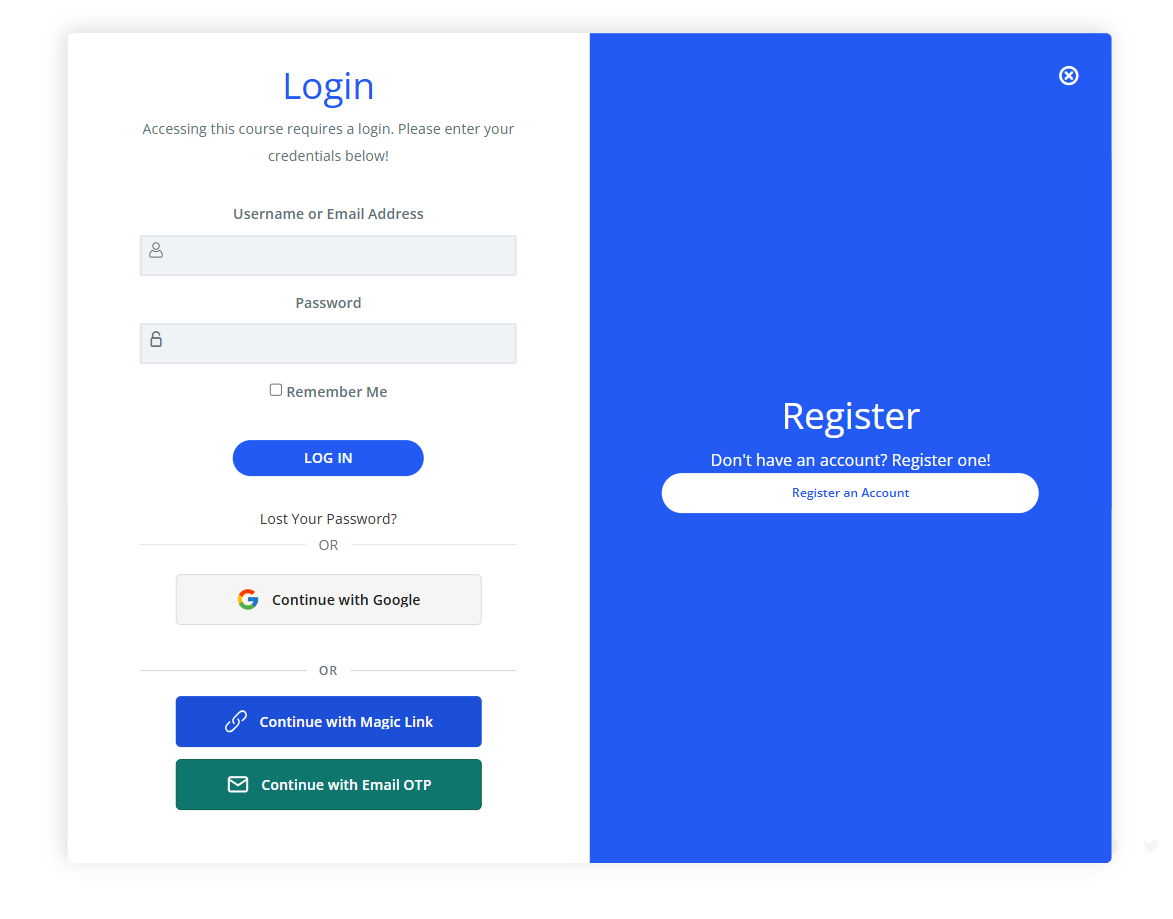
We tested VentraConnect inside a LearnDash login popup using the standard login form, Social Login, Magic Link and Email OTP buttons.
This matters because LearnDash sites often have more than one login entry point. Students may log in from course access prompts, registration screens, account areas, popups or custom student layouts.
In this setup, VentraConnect login buttons appear inside the LearnDash login experience, giving students more ways to sign in while keeping the normal username and password form available.
RECOMMENDED SETUP
A practical login setup for LearnDash course sites
For most LearnDash sites, the best setup is not one login method. It is a layered login experience: Social Login for fast returning-student access, Magic Link and Email OTP for passwordless recovery, and standard password login as a fallback.
VentraConnect Pro adds the LearnDash placement and account controls needed to make those methods fit into course login and registration flows without turning every login option into an uncontrolled signup path.
Lead with Social Login
Give returning students a familiar way to sign in with providers such as Google, Facebook, LinkedIn or Microsoft.
Add Magic Link and Email OTP
Offer passwordless options for students who forgot their password or prefer an email link or one-time code.
Control account creation
Decide whether LearnDash login screen can create new accounts, or only sign in existing students.
Send students to the right place
Use post-login behavior to keep learners on the current page or send them to the course destination that fits your flow.
COURSE SALES & CHECKOUT
Works with LearnDash registration and WooCommerce course sales
Not every LearnDash site handles student access the same way. Some course sites use LearnDash login and registration flows, while others sell courses through WooCommerce checkout using the LearnDash WooCommerce integration.
VentraConnect Pro is built for both types of account-heavy flows. You can place Social Login, Magic Link and Email OTP buttons inside supported LearnDash login and registration flows, and also use VentraConnect Pro’s WooCommerce integration for checkout and My Account login experiences.
For course registration and student login
Use the LearnDash integration when students log in or register through LearnDash-related login and registration flows.
- LearnDash login form placement
- LearnDash registration form placement
- Account creation control from the LearnDash login form
- Student profile social account connections
For paid course checkout and My Account
Use the WooCommerce integration when your LearnDash courses are sold through WooCommerce products, checkout and customer account pages.
- WooCommerce checkout placement
- WooCommerce My Account login placement
- Customer login and account access flows
- Works alongside LearnDash course enrollment after purchase
FAQ
Frequently Asked Questions
Common questions about using VentraConnect with LearnDash course sites, student login flows and passwordless access.
Does VentraConnect work with LearnDash?
Yes. VentraConnect Pro includes a LearnDash integration for placing VentraConnect login buttons inside supported LearnDash login and registration flows.
Do I need VentraConnect Pro for LearnDash?
For LearnDash-specific placement and account-flow controls, use VentraConnect Pro. The free plugin can still be used on standard WordPress login, registration and main shortcode-button flows, but the dedicated LearnDash integration is part of Pro.
Can I add Social Login to LearnDash login forms?
Yes. VentraConnect Pro can place Social Login buttons inside supported LearnDash login and registration flows, so students can sign in with familiar providers where supported.
Can LearnDash students use Magic Link or Email OTP?
Yes. VentraConnect can show Magic Link and Email OTP as login method buttons. Students can request a secure email link or receive a one-time code instead of relying only on password login.
Can I control whether LearnDash login creates new accounts?
Yes. VentraConnect Pro lets you choose whether Social Login, Magic Link and Email OTP from the LearnDash login form can create new accounts, or only sign in existing students. This helps keep course access tied to your intended registration, enrollment, checkout or membership flow.
Does VentraConnect work if I sell LearnDash courses with WooCommerce?
Yes. If your LearnDash site sells courses through WooCommerce, you can use VentraConnect Pro’s LearnDash integration for course login flows and its WooCommerce integration for checkout and My Account login experiences.
Get started
Improve LearnDash student login with VentraConnect Pro
Add Social Login, Magic Link and Email OTP to supported LearnDash login and registration flows. Use VentraConnect Pro for LearnDash placement, account creation control, student profile connections and WooCommerce course checkout flows.
Use the free plugin for standard WordPress login and shortcode-button flows. Choose Pro for LearnDash/LMS placement, account controls and deeper integrations.
Built for: WooCommerce stores, Membership sites, LMS platforms.