
For reviewers & publishers
VentraConnect Social Login - Review Kit
A one-page kit for WordPress bloggers, YouTubers, and review sites with a product snapshot, key differentiators, screenshots, and free + Pro access for testing.
No email needed for the free plugin. Pro access is manual and reserved for genuine reviewers.
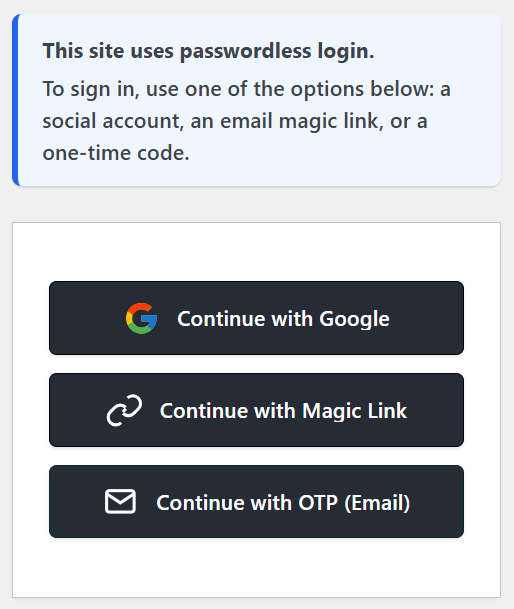
Example of Strict Passwordless mode: users log in with Social, Magic Link, or OTP instead of passwords.
What is VentraConnect?
VentraConnect Social Login is a WordPress plugin that combines social and passwordless login (Magic Link and Email OTP) in one unified system. It’s built for sites where failed logins and account friction hurt revenue and support teams - especially WooCommerce stores, membership sites, and LMS platforms.
Quick facts for reviewers
- Product: VentraConnect Social Login
- Type: Social login + passwordless login for WordPress
- Best suited for: WooCommerce, membership, and LMS sites
- Free version: Free plugin on WordPress.org
- Pro version: Pro add-on sold via wpventra.com
- License (free): GPLv2 or later
- Requires WordPress: 6.2+
- Requires PHP: 7.4+
- Latest version: 1.0.4
- Docs: wpventra.com/docs/
- Support: hello@wpventra.com
What makes VentraConnect different
Most reviewers pick one or two of these angles when comparing VentraConnect with other social login plugins:
- Unified login system - Social login and passwordless login (Magic Link & Email OTP) live in one plugin with shared rules, redirects, and integrations, instead of three separate add-ons.
- Built for WooCommerce & memberships - Tuned for checkout, “My Account”, membership signup, and LMS logins where failed logins and friction cost real money and support time.
- New Account Guardrails - Controls to decide exactly where new accounts can be created via Social, Magic Link, and OTP so bots and random clicks don’t flood your user table.
- Passwordless control modes - Off, Recommended, and Strict modes let site owners roll out passwordless gently or go all-in, with a safe admin fallback so they never lock themselves out.
- Diagnostics & analytics (Pro) - Visibility into which login methods people use, where logins fail, and copy-paste diagnostics instead of “it just doesn’t work” tickets.
- Modern admin UX - A clean, SaaS-style settings experience that’s easier for non-technical site owners to configure than legacy WordPress options screens.
Reviewers typically focus on setup experience, passwordless control modes, New Account Guardrails, analytics/diagnostics, and WooCommerce or membership checkout behavior.
Feature summary (Free vs Pro)
Here's a factual breakdown of what's available in the free plugin and what's added in Pro.
Free
- 15+ social login providers with no provider paywall
- Core social login and account linking flow
- Redirect control after login and logout
- Core security checks for login redirects
- Integration with the standard WordPress login and registration screens
Pro
- Magic Link login (one-click sign-in via email link)
- Email OTP login (one-time passcode sent by email)
- WooCommerce-focused flows (checkout and account pages)
- Membership / LMS integration enhancements (where supported)
- New Account Guardrails (anti-junk registration controls and signup rules)
- Analytics & diagnostics screens for usage and debugging
- Priority support for Pro customers
Screenshots & media kit
You’re free to use any of these assets in your blog posts, videos, or comparison tables. For convenience, everything is also available as a single ZIP download.
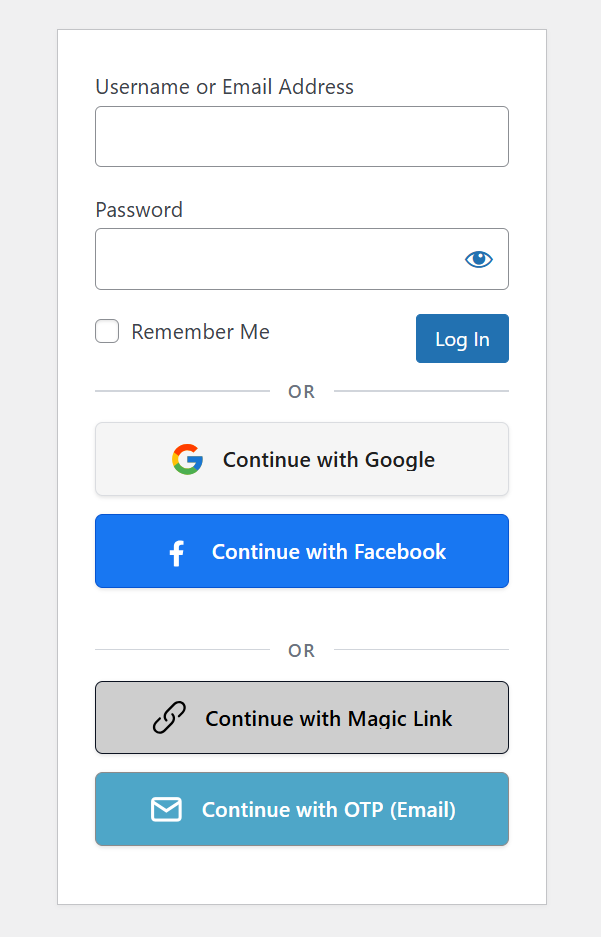
Login screen - social + passwordless
(ventraconnect-login-social-passwordless.png) — Front-end login screen showing
Social, Magic Link, and Email OTP options.
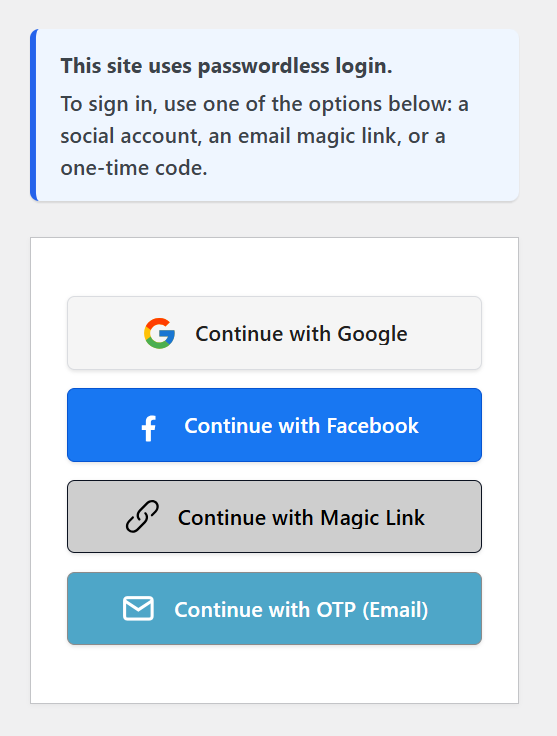
Strict Passwordless mode (optional)
(ventraconnect-login-strict-passwordless.png) — Example of Strict Passwordless mode where
users log in with Social, Magic Link, or OTP instead of passwords.
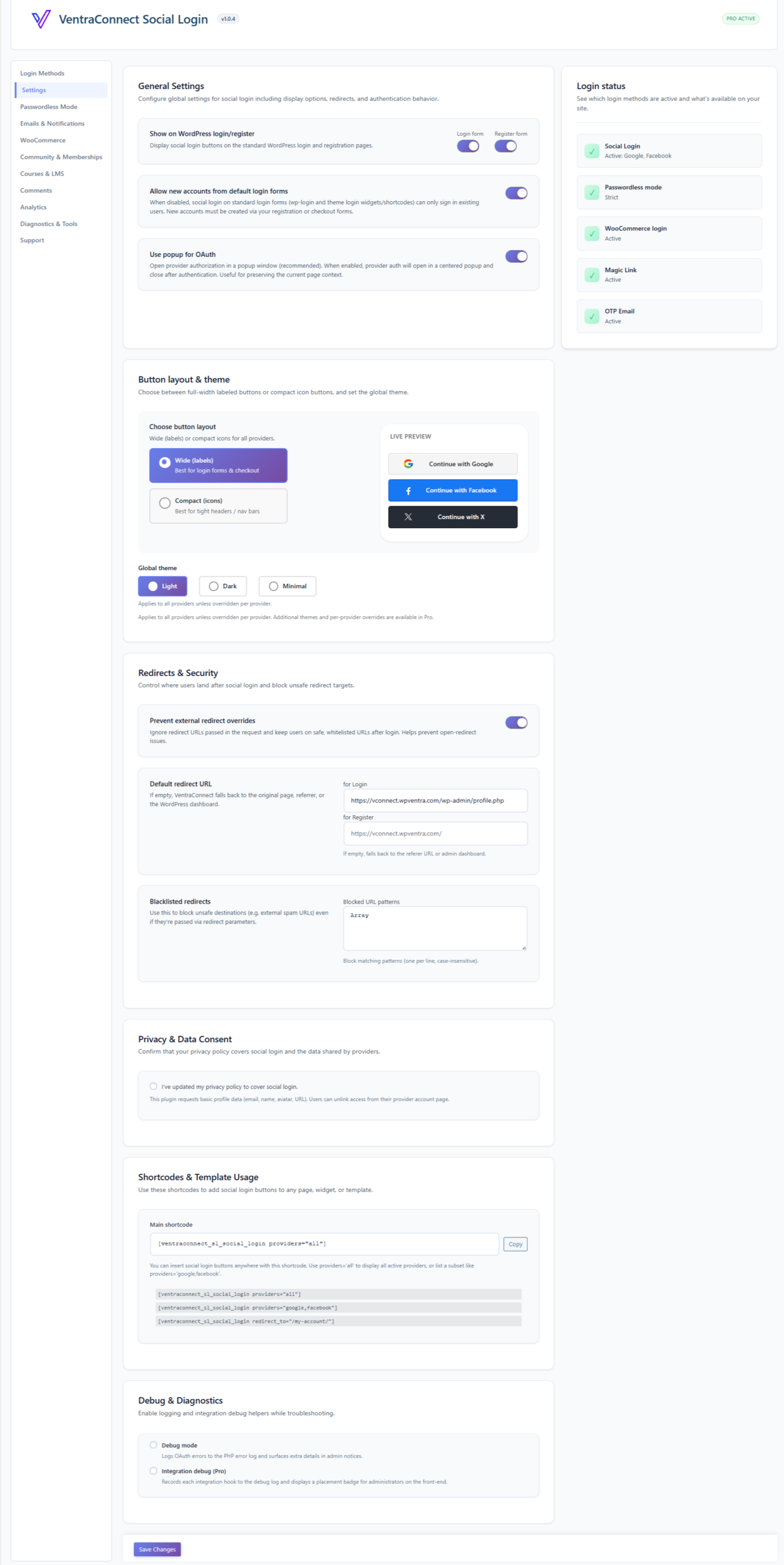
Admin overview dashboard
(ventraconnect-admin-overview.png) - Main VentraConnect admin dashboard with key
settings and status.
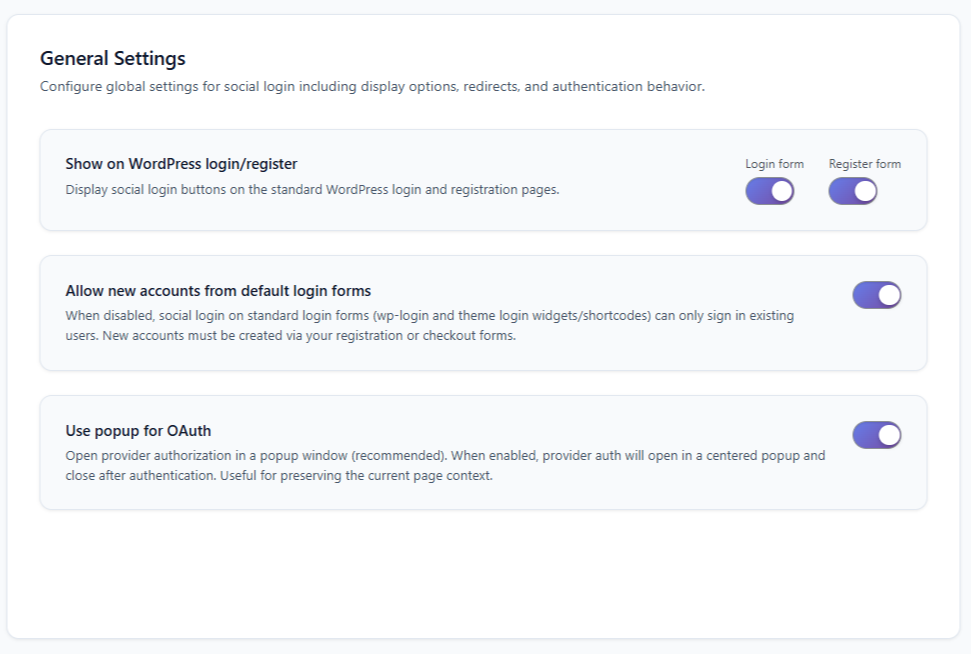
New Account Guardrails
(ventraconnect-guardrails.png) - Guardrails settings screen showing controls for
new account creation rules.
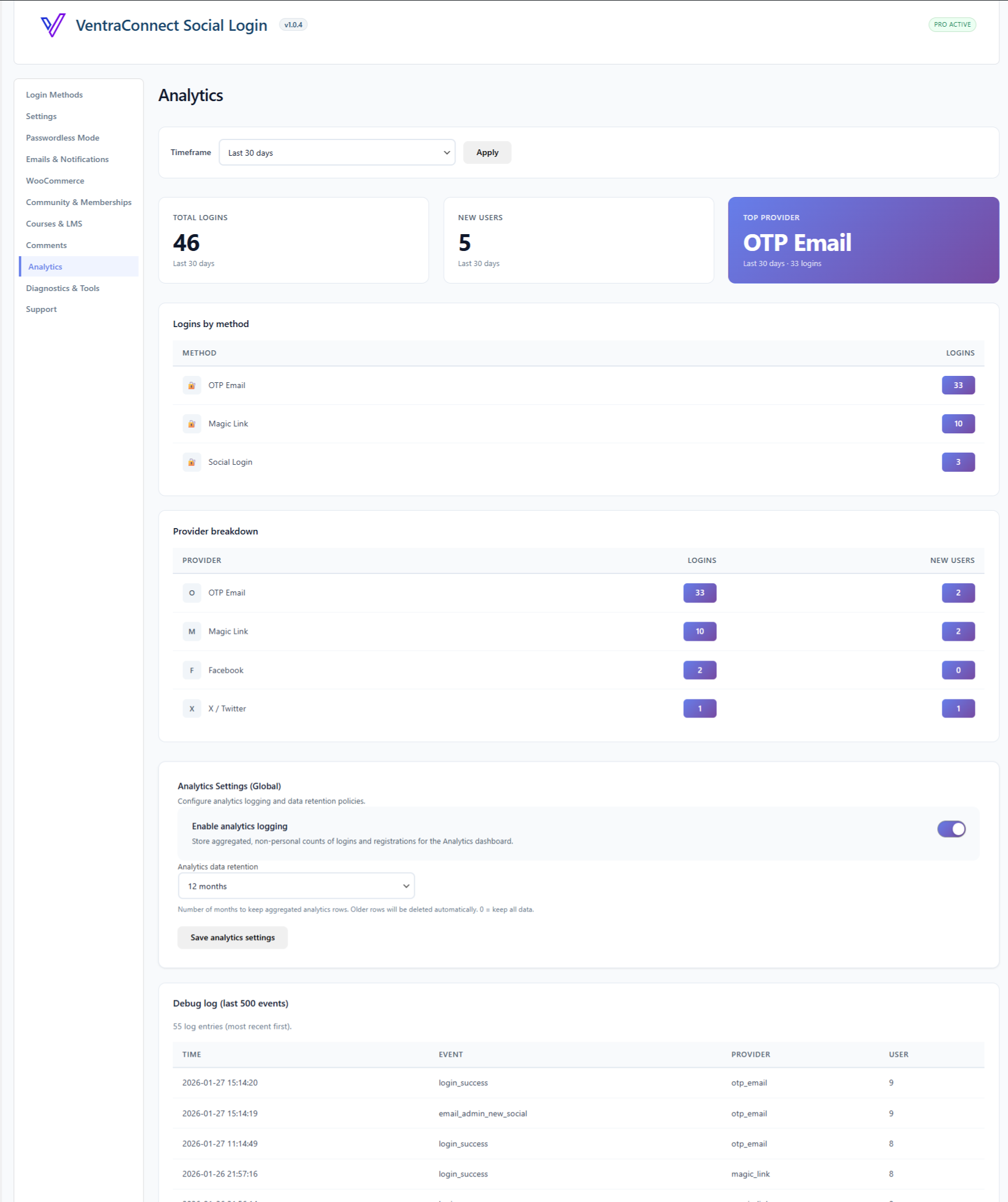
Analytics
(ventraconnect-analytics.png) - Analytics overview showing usage in details.

WP Ventra brand logo
(wpventra-logo.png) - Main WP Ventra logo for use in thumbnails, headers, and brand mentions
when referencing VentraConnect Social Login.

Plugin icon – 512×512
(ventraconnect-icon-512.png) - 512×512 icon for plugin roundups, feature graphics, or
YouTube thumbnails.
All screenshots, logos, and icons in the media kit may be used freely in reviews of VentraConnect Social Login.
Pro review access (for genuine reviewers)
VentraConnect Social Login Pro adds Magic Link, Email OTP, guardrails, and analytics. If you're preparing a review, comparison article, or video and need access to the Pro features, we're happy to provide a review license.
What you'll get
- A Pro license key for testing on your own site or staging environment
- Access to all current Pro features during the review period
- Help with any setup questions while you're testing VentraConnect
How to request
Email hello@wpventra.com with:
- • Your name
- • A link to your blog, YouTube channel, or newsletter
- • A short note on how you plan to cover VentraConnect (for example: comparison post, “best plugins” roundup, tutorial, or dedicated review)
We usually reply within 2–3 business days. Review licenses are for evaluation only - there is no obligation to publish, and no expectation of a positive review.
How it compares to other plugins
VentraConnect Social Login competes with plugins such as Nextend Social Login and miniOrange Social Login. We encourage reviewers to compare things side by side: setup speed, how passwordless flows work in practice, WooCommerce checkout behaviour, New Account Guardrails, and the overall admin UX.
Known limitations (for fairness)
- Some social providers require creating an app and configuring redirect URLs before they work in production.
- Passwordless login (Magic Link and Email OTP) depends on your WordPress site being able to send email reliably.
- Compatibility with highly customised themes or non-standard checkout flows may require additional testing and configuration.
- VentraConnect is not designed to replace full enterprise SSO stacks (SAML, AD, etc.) like some identity platforms. It focuses on WordPress sites, stores, and memberships.
Suggested review angles & headlines
You're free to use or adapt any of these: